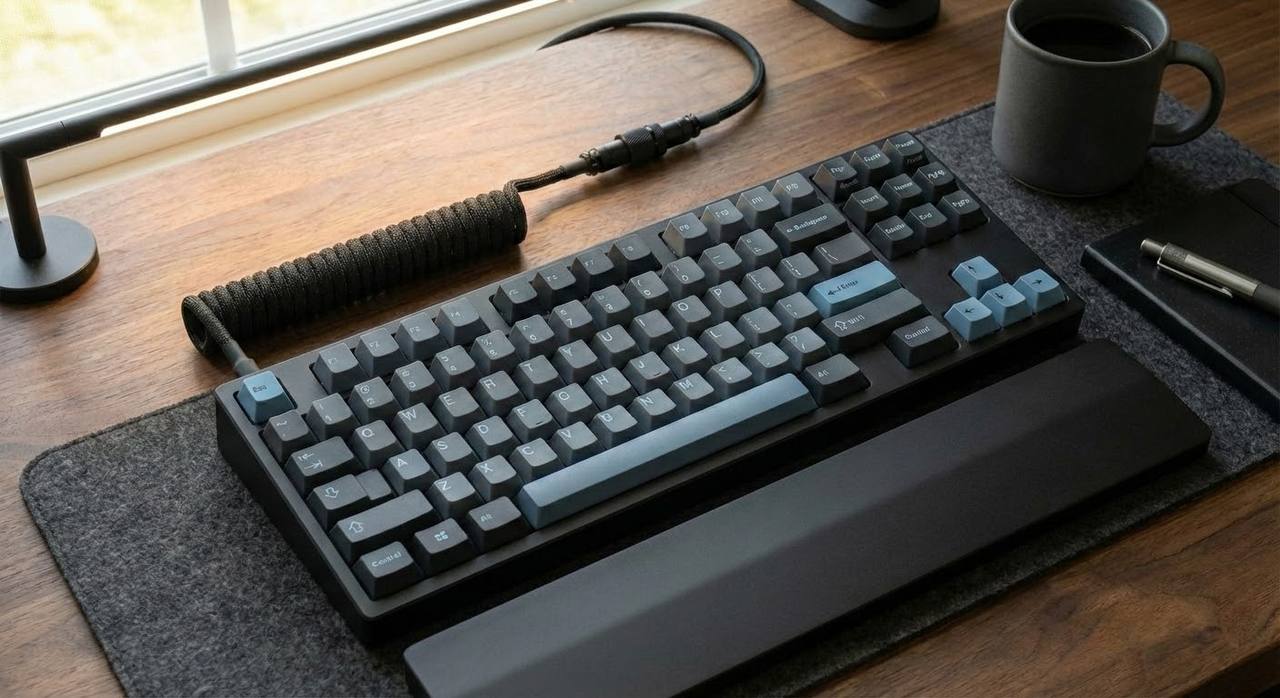
Mechanical keyboards are notorious for office warfare. Here is how to keep the tactile feel you love without becoming the most hated person in the room.
The “Clack” is the Enemy
Mechanical keyboards feel great, but in an open office, they make you the most hated person in the room. The “thock” you love is a “clack” that drives your coworkers insane. You don’t need to switch to a mushy membrane keyboard to keep the peace. You just need to understand where the noise actually comes from.
Silence isn’t about buying a specific “silent” model; it’s about dampening the physics of the keystroke. Here is the engineering approach to silencing your typing without ruining the feel.
1. The O-Ring Hack (The £5 Fix)
The loudest part of a mechanical keyboard isn’t usually the switch clicking; it’s the “bottom out”—the sound of the plastic keycap slapping against the switch housing when you press it all the way down.
The Fix: Silicone O-rings. These tiny rubber bands slide onto the stem of each keycap. They act as a shock absorber, cushioning the impact at the bottom of the stroke. It reduces the travel distance slightly (by about 0.2mm), but it eliminates the high-pitched plastic-on-plastic “clack” instantly. It’s the difference between slamming a door and shutting it with a weather seal.
2. The “Desk Mat” Physics
Your desk is a giant amplifier. When you type, vibrations travel through the keyboard case and into the desk surface, which resonates like a drum.
The Fix: Decouple the keyboard from the desk. A thick, felt or neoprene desk mat absorbs these low-frequency vibrations before they can turn into noise. If you are really serious, put a folded microfibre towel under your keyboard. It looks janky, but it kills the “hollow” echo completely.
3. Switch Mechanics: Linear vs. Tactile
If you are using “Clicky” switches (like Cherry MX Blues), no amount of dampening will help. They have a physical mechanism designed to make noise. You need “Linear” or “Silent Tactile” switches.
The Science: Linear switches (Red/Black) have a smooth travel with no bump, making them naturally quieter. “Silent” variants add tiny rubber bumpers inside the switch itself, dampening both the downstroke and the upstroke (the sound of the key bouncing back up). If your keyboard is “hot-swappable,” you can pull out the loud switches and plug in silent ones without soldering.
4. The “Foam Mod” (Internal Dampening)
Most budget keyboards are mostly empty space inside. This air cavity acts as an echo chamber.
The Fix: Open the case (usually just a few screws) and fill the empty space with packing foam, shelf liner, or even painter’s tape. This increases the mass of the board and removes the air that allows sound waves to bounce around. A dense, heavy keyboard is a quiet keyboard.
Summary: You don’t have to annoy your colleagues to enjoy typing. Dampen the impact (O-rings), decouple the board (desk mat), and fill the void (foam). Silence is golden.
Leave a Reply