Affiliate disclosure: This guide may include affiliate links. If you buy through them, we may earn a commission at no extra cost to you.
A good home office desk setup is mostly about layout, not expensive gear. If your monitor height, cable path, and desk zones are wrong, even premium equipment feels frustrating.
Home office desk setup checklist
- Monitor top near eye level
- Enough depth for comfortable viewing distance
- Keyboard and mouse centered to your shoulders
- Clear cable route from desk edge to power source
- Dedicated place for notebook, charger, and daily items
Desk layout that improves workflow
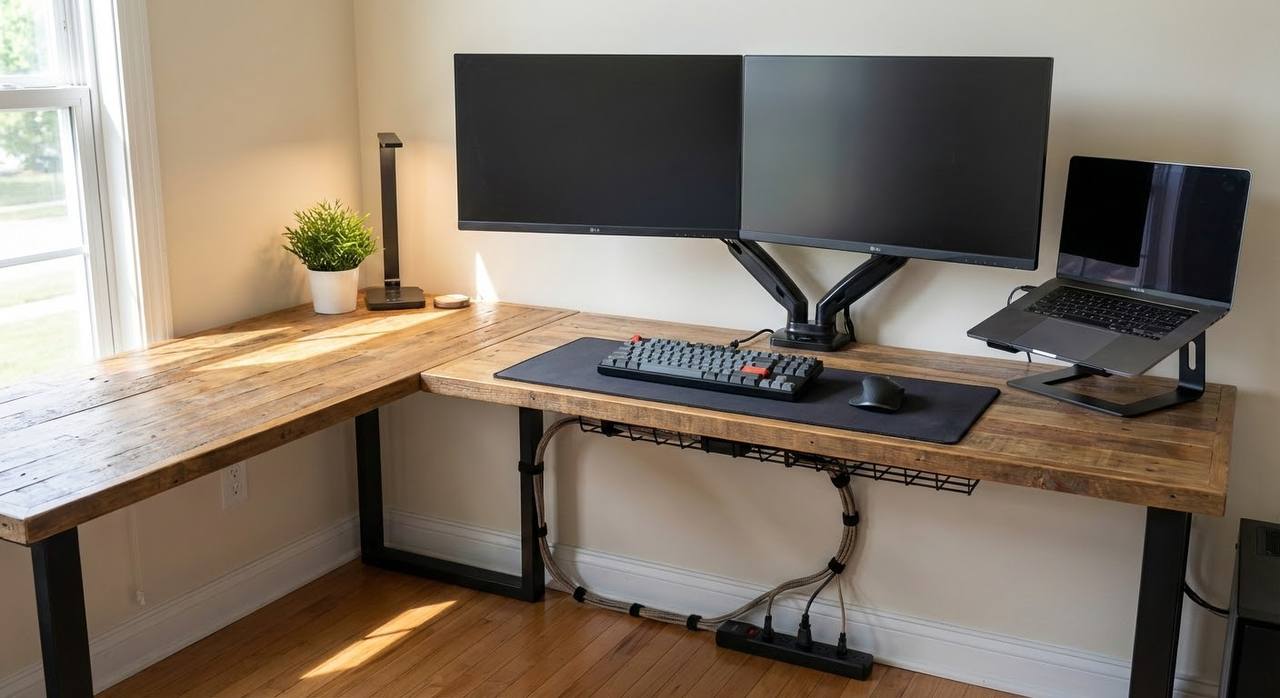
Primary zone: keyboard, mouse, and main monitor directly in front.
Secondary zone: notebook, tablet, or reference monitor off to one side.
Storage zone: drawers or side caddy for chargers, adapters, and small items that cause clutter.
Single vs dual monitor setup
- Single monitor: center it to your body and keep notebook directly beside it.
- Dual monitor: center the screen you use most and angle the second one in.
- Use monitor arms if possible: they free desk space and make alignment easier.
Cable path that stays clean
- Run power and data separately where possible.
- Use an under-desk tray for extension block and adapters.
- Leave small service loops so cables are not under tension.
- Label critical cables before final tie-down.
Common desk setup mistakes
- Monitor too low, forcing neck flexion.
- Desk depth too shallow for screen size.
- No plan for charging hubs and adapters.
- Lighting placed behind monitor, creating glare.
Related guides
- Home Office Desk Ideas That Actually Work in Real Rooms
- Best Home Office Setup (2026): Practical Checklist by Budget
You do not need a complicated setup. A clean layout with the right monitor position and cable flow will outperform a desk full of random upgrades.
Leave a Reply