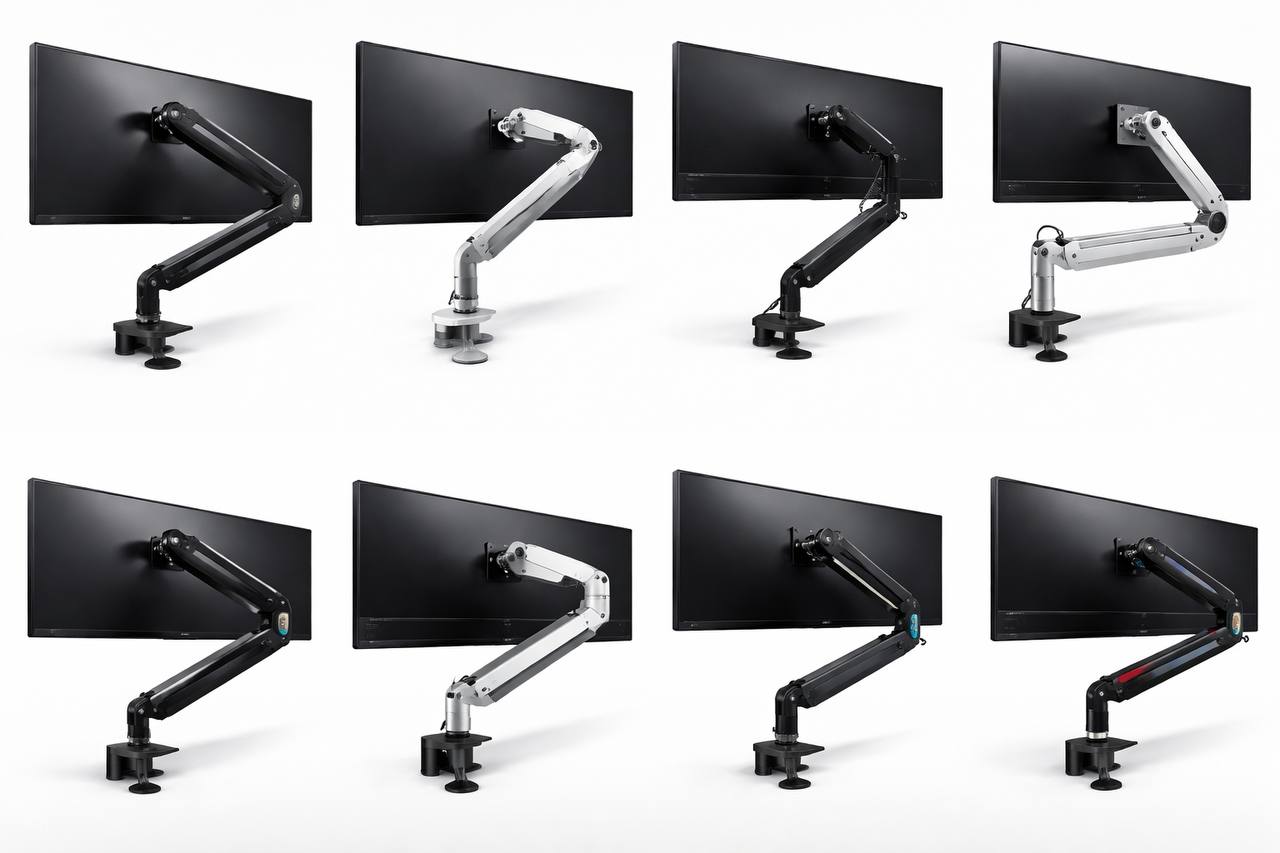
Best monitor arm for ultrawide: what actually works for 34″ to 49″ screens
If you’re trying to find the best monitor arm for ultrawide setups, ignore flashy product pages for a minute. Most bad buys come from the same few mistakes: wrong weight range, weak tilt support, or a desk that cannot handle the clamp.
The good news is this is easy to fix once you know what to check. You only need four things: panel weight without the stand, VESA pattern, realistic arm load range, and desk stability around the clamp area.
Quick answer
- For most 34″ ultrawides, a solid gas-spring arm in roughly the 6-12 kg range works well.
- For heavier 38″ to 49″ panels, heavy-duty tilt support matters more than extra swivel features.
- If your desk is hollow-core, thin particle board, or glass, reinforce the mount point first.
- If you use the monitor for work all day, prioritize stability and easy micro-adjustment.
Short version: buy for load handling and tilt control, not for looks.
What matters most when choosing an ultrawide monitor arm
Specs pages usually highlight cable channels and rotation angles. Useful, but not the stuff that decides whether your setup feels stable on day 30.
- Panel weight (without stand): this is the number that matters for arm tension and tilt.
- VESA compatibility: many ultrawides are 100×100, but confirm before buying.
- Weight range headroom: avoid running right at the arm’s upper limit.
- Tilt hardware quality: curved screens put more stress on tilt than flat panels.
- Desk fit: check clamp clearance, desktop thickness, and underside obstructions.
If one of these is off, the arm usually disappoints no matter how good reviews look.
Best monitor arm for ultrawide by setup type
There is no single winner for everyone. A better approach is choosing by monitor size, weight, and desk behavior.
Best for 34″ ultrawide work setups
This is the easiest category. A well-built mid-to-heavy gas arm is usually enough if your desk is stable. You get cleaner posture, more desk depth, and smoother height changes during the day.
In practice, premium mainstream arms and stronger value models both work here. The better pick depends on your desk strength and how often you reposition the screen.
Best for 38″ ultrawides and heavier panels
This is where weak tilt mechanisms get exposed. Some arms hold height but slowly nose-dive over a week. If your panel is heavy and curved, choose an arm with clear headroom above your actual monitor weight.
Paying more in this tier usually buys better joints and better long-term stability, not just brand name.
Best for 49″ super-ultrawide desks
For 49″ panels, treat this as heavy-duty hardware, not a normal accessory purchase. Some setups need a reinforced tilt module or dedicated heavy-duty pivot to stay level under load.
If your monitor is expensive, this is the wrong place to cut corners. One stable arm is cheaper than replacing a failed one and reinstalling everything twice.
Best budget route that still feels decent
Budget arms can still be worth it on lighter ultrawides, but only on solid desks. Expect less refined movement and more vibration transfer compared with premium options.
If your desk flexes or you type hard, a cheap arm can feel worse than the original stand. Always match the arm to the desk, not just the monitor spec sheet.
Common mistakes that ruin ultrawide arm setups
- Filtering by screen size only: two 34″ models can differ a lot in weight and balance.
- Ignoring curve stress: deeper curves increase tilt load.
- Buying at max capacity: you want margin, not the absolute limit.
- Skipping desk checks: cable trays and metal braces often block clamps.
- Forgetting cable slack: arm movement needs longer cable runs than fixed stands.
Clamp vs grommet mount
Clamp mount is the default for most people. It is fast, easy to reposition, and usually enough on a strong desktop.
Grommet mount can feel cleaner and more locked-in on some desks, but setup takes longer and hole position matters.
Neither option is automatically better. Your desk construction decides.
Installation checklist for better stability
- Check monitor panel weight without stand.
- Confirm VESA pattern and screw/spacer fit.
- Check desktop thickness and rear-edge clearance.
- Add a reinforcement plate on weaker desktops.
- Route cables with enough slack before final tension tuning.
- Set spring tension first, then fine-tune tilt.
- Test full range of motion before locking your desk layout.
A careful install takes a little longer once, but it saves a lot of daily annoyance later.
Is it the arm or the desk?
- Likely arm issue: steady tilt drift or height creep on an otherwise rigid desk.
- Likely desk issue: whole monitor bounces while typing near the keyboard area.
- Likely tension mismatch: monitor rises on its own or drops after small adjustments.
Diagnose this early and you avoid replacing the wrong part.
Simple buying framework
- Step 1: map your monitor weight and curve.
- Step 2: classify desk stability: rigid, average, or flexible.
- Step 3: decide if you need heavy-duty tilt support.
- Step 4: choose one tier above minimum spec if budget allows.
That one-tier-up rule is usually cheaper than buying twice.
FAQ
Can a standard arm hold a 49″ ultrawide?
Sometimes, but it is risky. Large curved panels usually need heavy-duty tilt hardware, not a generic arm.
Is a wall mount better than a monitor arm for ultrawide screens?
Wall mounts can be very stable, but you lose easy distance and height adjustments. For active desk setups, a good arm is usually more practical.
Why does my ultrawide arm wobble when I type?
Most of the time it is desk flex, not the arm itself. Reinforcing the mount point often helps more than replacing the arm.
Should I buy based on maximum weight only?
No. Weight range behavior, tilt quality, and desk compatibility matter just as much as the max spec on the listing.
Final verdict
The best monitor arm for ultrawide users is the one that matches your panel weight, curve, and desk construction. For many 34″ setups, a quality mid-to-heavy arm is enough. For heavier 38″ and 49″ panels, strong tilt support is usually worth paying for.
If you are deciding between a cheaper arm now or a stronger arm once, go stronger once. It tends to be the cheaper decision over a year of daily use.
Leave a Reply