Affiliate disclosure
This post may contain affiliate links. If you buy through them, we may earn a commission at no extra cost to you.
Introduction: Why a Monitor Arm Is the Fastest “Small Desk Upgrade”
If your home office desk feels cramped, a monitor arm is one of the most impactful upgrades you can make without buying new furniture. By lifting your screen off the surface, you free up space for a keyboard, notebook, docking station, or even just a cleaner work area—while improving ergonomics (screen height, distance, and angle).
For small desks, though, not every arm is a good fit. You need the right clamp depth, upright footprint, reach, and weight rating, and you need to avoid models that wobble or require too much rear clearance.
This guide compares popular, UK-available monitor arms that work well on narrow or shallow desks, then walks you through exactly how to pick the right one.
Quick Comparison Table (Compact picks)
| Pick | Best For | Mount Type | Monitor Size/Weight (typical) | Why It Works for Small Desks |
|---|---|---|---|---|
| Ergotron LX Desk Monitor Arm | Best overall build + smoothest movement | Clamp / grommet | Often up to ~34″ (verify weight rating) | Stable with minimal “bounce”, excellent adjustability |
| Amazon Basics Premium Single Monitor Stand (Ergotron-style) | Best value “premium-style” arm | Clamp / grommet | Often supports heavier screens (verify) | Similar geometry to pricier arms; great for reclaiming desk space |
| NB North Bayou F80 | Best budget gas-spring | Clamp / grommet | Typically 17–30″+ depending on weight | Strong for the money; common in UK setups |
| HUANUO Single Monitor Arm | Best easy setup for beginners | Clamp / grommet | Often up to ~32″ | Clear instructions + cable management; solid for lighter screens |
| VIVO Single Monitor Desk Mount | Best for lighter monitors + simple adjustments | Clamp / grommet | Often better with lighter displays | Straightforward, widely available parts/support |
| BONTEC Monitor Arm | Best for very shallow desks (check clamp spec) | Clamp / grommet | Varies by model | Some models have compact posts/clamps |
| Invision Monitor Arm (UK brand) | Best “mainstream UK” option | Clamp / grommet | Varies | Popular in the UK; usually good documentation |
Note: Availability and exact specs vary by sub-model. Always verify: VESA pattern (75×75 or 100×100), desk thickness supported, and monitor weight (including any adapter plates).
My Recommendation (If You Want One Answer)
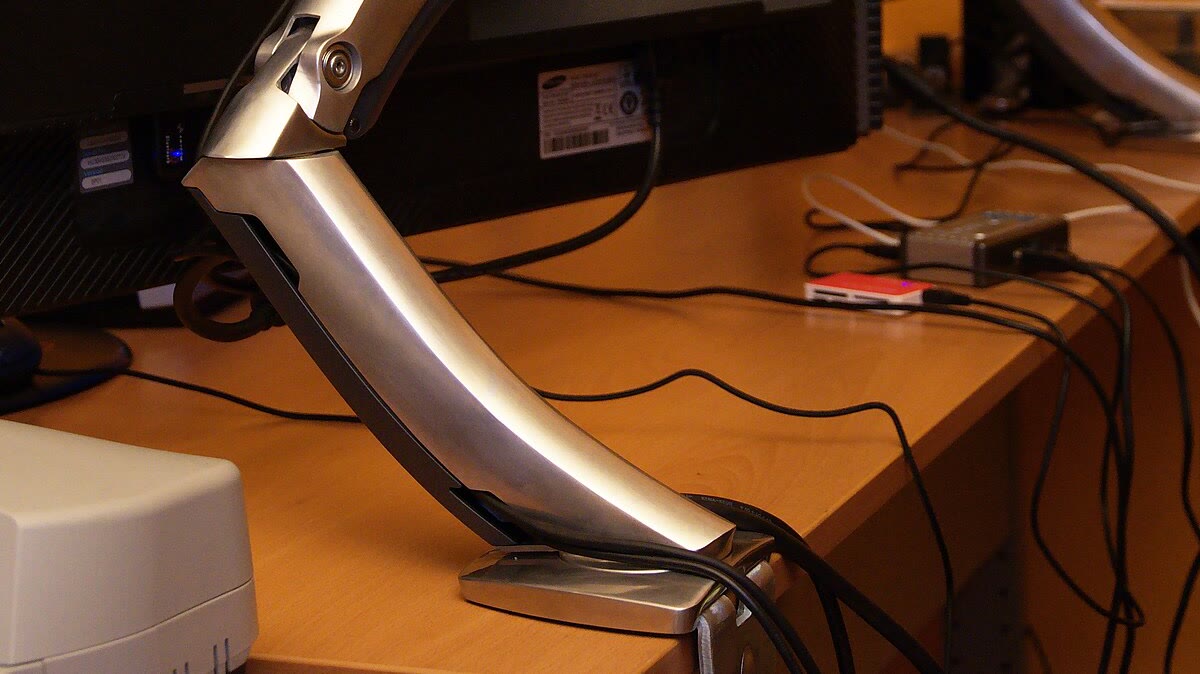
If you have a flexible budget and want an arm that will last through multiple desk upgrades, the Ergotron LX is the gold standard. It holds tension perfectly, moves smoothly, and rarely wobbles.
If you want great value, the NB North Bayou F80 is incredibly popular for a reason: it’s robust, affordable, and handles most standard monitors well. Just be prepared to adjust the tension carefully during setup.
Mini Reviews (Practical Pros/Cons)
1) Ergotron LX — Best Overall (If You Want “Buy Once, Cry Once”)
Why it’s great for small desks: The LX is known for stability and smooth movement. On compact desks, that matters because cheaper arms can wobble when you type.
Pros
- Excellent build quality and long-term reliability
- Very smooth height/tilt adjustments
- Great stability (less screen shake)
Cons
- Costs more than most alternatives
- You still need some clearance for clamp + cable routing
Best for: Users who want a professional-grade arm that just works and will last for years.
2) Amazon Basics Premium (Ergotron-style) — Best Value Premium
Often compared to higher-end designs, this is a strong choice when you want a sturdy gas-spring feel without paying top-tier pricing.
Pros
- Strong stability for the price
- Often handles heavier monitors well
- Great “space reclaim” effect on small desks
Cons
- Finishes/packaging may vary by batch
- Instructions can be less polished than premium brands
Best for: Heavy monitor users who want stability on a budget.
3) NB North Bayou F80 — Best Budget Gas-Spring
A popular budget pick that can work extremely well if your monitor weight sits in the arm’s “sweet spot.”
Pros
- Excellent value
- Widely used, lots of setup videos online
- Can feel surprisingly solid when tuned correctly
Cons
- Requires careful tension adjustment
- May wobble more than premium arms on very light desks
Best for: Students or home offices on a tight budget needing full motion.
4) HUANUO Single Arm — Best for Easy Installation
If you’re not into fiddly setup, HUANUO tends to provide straightforward assembly and decent cable routing.
Pros
- Beginner-friendly setup
- Often includes useful tool/bolt packs
- Good for typical 24–32″ home office monitors
Cons
- Not as “buttery” as top-tier arms
- May be less ideal for very heavy ultrawides
Best for: First-time arm buyers who want a hassle-free setup.
5) VIVO — Best Simple Arm for Lighter Displays
VIVO is a common, reliable mid-range option. Great if you don’t need constant repositioning.
Pros
- Simple, proven designs
- Good availability of spares/accessories
- Often good for fixed or occasional adjustments
Cons
- Some models are better with lighter screens
- Gas-spring feel varies by model
Best for: Standard home office monitors that stay in one place most of the time.
6) BONTEC — Best When Desk Depth Is Tight (Check Clamp Dimensions)
Some models are designed with compact posts and clamps that can be friendlier for shallow desks—just verify clamp depth and rear clearance.
Pros
- Often compact designs
- Usually good value
- Many variants (you can match your exact desk constraints)
Cons
- Quality varies by exact model
- Must check specs carefully (desk thickness + clamp lip)
Best for: Very shallow desks where every centimeter of depth counts.
7) Invision (UK brand) — Best “Mainstream UK” Option
Invision is well-known in the UK market and tends to be an easy “safe pick” for common monitor sizes.
Pros
- UK-focused availability and support content
- Usually clear VESA/compatibility info
- Good for typical WFH screens
Cons
- Not always the best value versus NB/Amazon Basics
- Some models prefer standard desk thickness ranges
Best for: UK buyers who want local support and easy returns.
Buyer’s Guide: How to Choose a Monitor Arm for a Small Desk (UK)
1) Measure Your Desk First (Two Key Measurements)
- Desk thickness (mm): Clamp arms have minimum/maximum thickness limits.
- Rear clearance (cm): Some clamps need space behind the desk.
Small-desk hack: If you can’t pull your desk away from the wall, look for arms with a clamp design that tightens mostly downward rather than far behind the desk.
2) Check Your Monitor’s VESA + Weight (Don’t Guess)
- VESA pattern: Usually 75×75 or 100×100.
- Weight: Use the manufacturer spec.
Important: Gas-spring arms have a working range. If your monitor is too light, the arm can “float up” even at minimum tension. If it’s too heavy, it’ll droop.
3) Decide: Gas-Spring vs Mechanical (Fixed)
- Gas-spring: Best if you frequently adjust position.
- Mechanical/fixed: Often cheaper and very stable once set.
For small desks, gas-spring is often worth it because you can pull the screen closer for focused work, then push it back to free space.
4) Prioritise a Compact “Footprint”
For tight desks, look for:
- A shorter upright post
- Arms that fold neatly rather than extending far behind the screen
- Integrated cable management
5) Clamp vs Grommet (UK Reality Check)
- Clamp: Easiest; works on most desks.
- Grommet: More stable and can require less rear clearance, but needs a hole.
If your desk has a cable grommet hole, a grommet mount can be a surprisingly clean solution for small spaces.
Setup Tips (Avoid Wobble and Save Space)
- Tighten the clamp properly—most “wobble” issues come from under-tightening.
- Position the clamp near a desk leg if possible.
- Route cables with slack at the joints so the arm can move freely.
- Dial in tension last: mount the monitor, then adjust gas tension until it stays put.
- Keep the arm folded: on small desks, a “Z” shape often works better than fully extended.
Pros & Cons: Monitor Arms on Small Desks
Pros
- Frees up desk space instantly
- Better ergonomics (eye level, distance, posture)
- Cleaner cable routing
- Easier to switch between tasks
Cons
- Requires compatibility checks (VESA/weight/thickness)
- Some clamps need rear clearance
- Budget arms can wobble on light desks
- Setup takes 20–45 minutes the first time
FAQ
What’s the best monitor arm for a small desk in the UK?
For overall stability and smooth adjustment, Ergotron LX is a top pick. For a more affordable “premium feel,” the Amazon Basics premium arm and NB F80 are common UK favourites—just match the weight range to your monitor.
Will a monitor arm damage my desk?
It can if the desk is thin or hollow. Use the included protective pad (or add a thicker pad/plate), avoid overtightening, and clamp near a stronger part of the desk.
My desk is against a wall—can I still use a clamp arm?
Often yes, but choose an arm/clamp that doesn’t require lots of rear clearance. If your desk has a cable hole, a grommet mount can be a cleaner solution.
Do monitor arms work with ultrawide monitors?
Yes—if the arm supports the weight and the monitor has VESA mounting. Ultrawides can be heavier and create more leverage, so stability matters.
What if my monitor doesn’t have VESA holes?
Some monitors require a VESA adapter bracket designed for that model. Make sure any adapter is compatible and doesn’t push the monitor weight beyond the arm’s rating.
Related posts
- Best Dual Monitor Arms for Small Desks
- Under-Desk Cable Management Trays (Standing Desk Guide)
- Best Desk Cable Clips for Home Offices
Conclusion
If your home office desk feels too small, a monitor arm is one of the most cost-effective upgrades you can make: it clears desk space, improves posture, and makes your setup feel intentional.
If you want the most stable, long-term option, start with Ergotron LX. If you want strong value, the Amazon Basics premium arm or NB F80 are excellent places to begin—just double-check your desk thickness, VESA pattern, and monitor weight.
Leave a Reply