Affiliate disclosure: This guide may include affiliate links. If you buy through them, we may earn a commission at no extra cost to you.
If your eyes feel cooked by 3 p.m., your lighting is probably the culprit, not your work ethic. Most home offices still rely on one bright ceiling bulb and a monitor running too hot. That combo looks fine at first, then slowly wrecks comfort.
This guide is the setup I recommend most: simple, affordable, and realistic for normal rooms.
Quick answer: best lighting for home office work
- Use layered light, not one harsh source.
- Aim for 4000K to 5000K while working, then dim warmer in the evening.
- Keep your monitor away from direct glare and place your task light to the side of your writing hand.
- If you take video calls, add a soft front light around eye level.
Specs that matter (and the ones that don’t)
I see people chase “watts” all the time. Ignore that. For comfort, the useful numbers are lumens, color temperature, and CRI.
| Spec | What to look for | Why it matters |
|---|---|---|
| Lumens | 700 to 1200 in your task zone | Enough brightness without forcing eye strain |
| Color temperature | 4000K to 5000K daytime; 2700K to 3500K later | Keeps focus during work, easier wind-down after |
| CRI | 90+ when possible | Colors look natural on skin, paper, and screens |
| Dimming | Must-have feature | Lets you adapt to changing daylight |
The easiest setup: 3 lighting layers
- Ambient layer: soft room light to reduce contrast with your monitor.
- Task layer: adjustable desk lamp for keyboard, notes, and desk work.
- Call layer: diffused front light so your face is clear on camera.
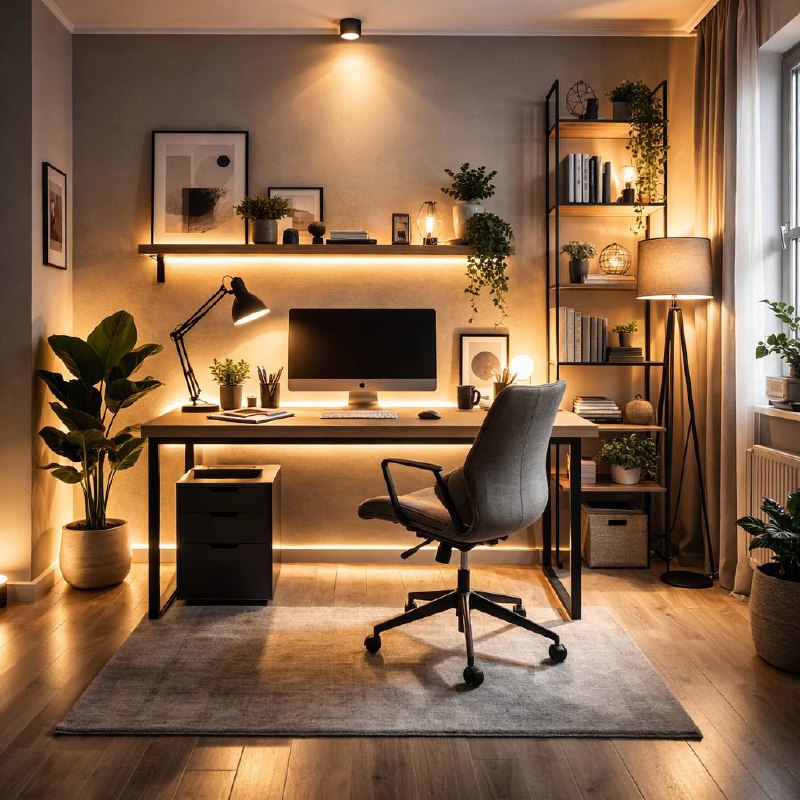
You do not need a studio rig. One floor lamp, one decent desk lamp, and one small diffused light panel already beats most setups.
Placement rules that fix most problems
- Put windows to the side of your monitor if possible.
- Do not point bare bulbs at your face or directly at the screen.
- Keep bright light out of your line of sight.
- Bring lamps closer and dim them down instead of blasting from far away.
- If you wear glasses, raise call lights slightly above eye level to cut reflections.
Best home office lighting by use case
For computer-heavy work: go neutral white (around 4000K), medium brightness, low glare.
For eye comfort: prioritize dimming control, indirect ambient light, and a flicker-free desk lamp.
For video calls: a soft front light does more for call quality than most webcam upgrades.
For small rooms: use a wall-wash lamp or shelf LED strip behind the desk to soften contrast.
Common mistakes
- One powerful ceiling light as the only source.
- Mixing very warm and very cool bulbs in the same desk zone.
- Ignoring glare until headaches show up.
- Buying decorative lights before fixing task visibility.
5-minute lighting check
- Open a white document and check for screen glare spots.
- Write by hand for one minute and watch your shadow direction.
- Open your webcam preview and check face brightness.
- Reduce lamp output by 20% and see if comfort improves.
- Save one daytime preset and one evening preset.
Related guides
- How to Upgrade Your Home Office Lighting (Without Overspending)
- How to Light Video Calls with Glasses (No Glare)
Bottom line: the best lighting for home office work is not the brightest setup. It is the setup you can comfortably use for eight hours without squinting, glare, or fatigue.
Leave a Reply