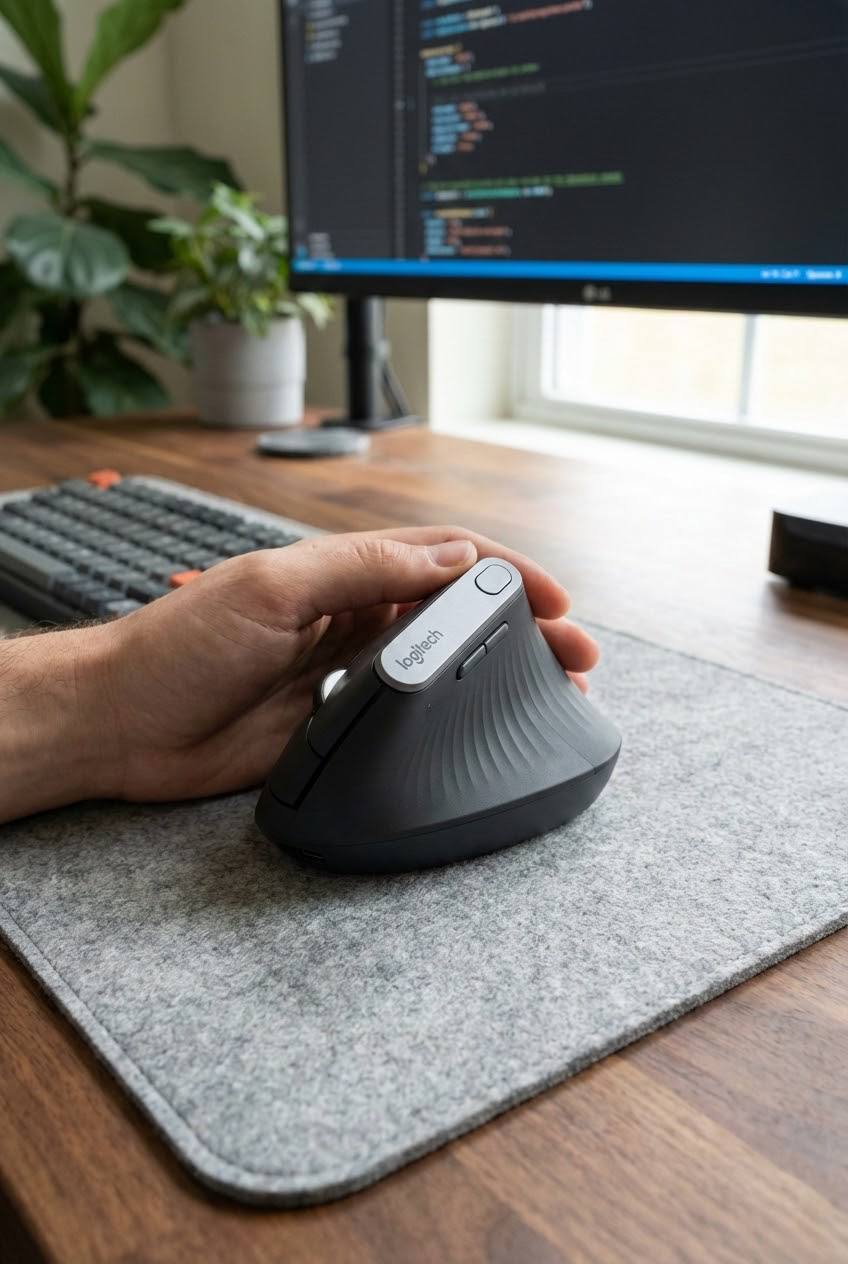
As an ergonomics consultant, I see the same pattern repeatedly: professionals using “sleek” devices that are anatomical disasters. Your workstation is likely a biomechanical disaster zone, and the primary culprit is the device currently under your palm. The science of ergonomics—the study of designing environments to fit the worker—reveals that our standard tools are failing us. Here are six lessons from the front lines of digital health.
1. The “Invisible Claw” — Why Avoiding Clicks is Straining Your Joints
One of the most physically taxing things you can do with a mouse is nothing at all. Research into finger behavior reveals a phenomenon known as the “cantilever condition.” Because standard mice are highly sensitive, users habitually “hover” their index and middle fingers to avoid accidental clicks.
When your hand is in a flat, pronated position, you aren’t just resting; you are fighting gravity and what researchers call “enslaving effects.” This physiological reality means that moving one finger triggers involuntary force in its neighbors. To prevent a click on the right button while the index finger works the left, your middle finger must remain suspended in a state of static muscle loading.
“Raising the middle finger to avoid unintentional clicking increases extensor activity to overcome enslaving effects during index finger force production.”
This “invisible claw” creates micro-strains in the joints that accumulate over hours. The irony is sharp: the effort spent avoiding a click is often more damaging than the click itself.
2. The Magic Number — 30 to 80 Degrees is the Ergonomic Sweet Spot
Standard mice operate at a 0° slant, forcing your forearm into full pronation (palm flat). Anatomically, this is a “twisted” position that creates internal pressure on the neuromuscular system.
The data confirms that “Slanted Mice” with an angle between 30° and 80° are the most effective intervention for reducing muscle activity. Specifically, angles of 30°, 50°, and 65° have been shown to drastically lower the load on the Upper Trapezius (neck), Pronator Teres (forearm), and the extensors—specifically the Extensor Digitorum (ED) and Extensor Carpi Ulnaris (ECU).
| Feature | Standard Mouse (0°) | Slanted/Vertical Mouse (30°-80°) |
|---|---|---|
| Forearm Position | Fully Pronated (Twisted) | Neutral “Handshake” Position |
| Risk Factors | High Shoulder Abduction | Aligned Radius and Ulna |
| Wrist Extension | Extreme Postures | Neutral Joint Alignment |
By adopting a “handshake” grip, you optimize the length-tension relationship of your muscles, allowing them to produce force without the chronic strain of a twisted posture.
3. The 130-Gram Rule — Why Mouse Weight Matters
In the “ultra-light” gaming mouse market, weight is often sacrificed for speed. However, for digital professionals, weight provides essential stability. Research suggests that a mouse weight around 130 grams is the ideal threshold for minimizing wrist movement range and muscle activity.
While lighter mice (80g–100g) are often paired with specific slant angles to reduce effort, the 130g rule focuses on the “Moment Pattern” of the hand. In tasks requiring high precision—like CAD design or complex spreadsheets—a 130g device provides the physical resistance needed to prevent shaky, micro-adjustment movements. High-DPI gaming mice often lack this stabilizing inertia, forcing your small wrist muscles to work harder to maintain control during “slow-drag” operations.
4. The “Two-Week Hurdle” — Your Nervous System is Relearning How to Move
Switching to a vertical mouse often feels “wrong” or jumpy. This isn’t a design flaw; it’s your nervous system struggling to overwrite years of flat-mouse muscle memory. You are shifting from wrist-controlled movement to elbow and shoulder-controlled movement.
According to the ProtoArc adjustment timeline, you must navigate three distinct phases:
- Days 1–3 (The Clumsy Phase): Expect to overshoot targets. You may feel new fatigue in the thumb base as it learns to grip differently.
- Days 4–7 (The Smoothing Phase): Movement feels more predictable, though fine-clicking small icons remains a challenge.
- Days 8–14 (The Natural Phase): Speed and accuracy return to baseline, and the chronic tension in your forearm begins to dissipate.
Consultant’s Tip: Don’t just “work through” the awkwardness. Use short precision exercises. Spend five minutes a day lining up windows perfectly with screen edges or dropping files into small folder icons. This deliberate practice rebuilds your mental “map” faster than standard office work.
5. Ergonomics is Only 20% of the Cure
A common misconception is that a $100 mouse will “cure” an injury. Physical therapist Dr. Matthew Hwu uses the Scale of Physical Stress to debunk this. Ergonomics only addresses the “Demand” side of the scale—it reduces the rate at which stress is applied.
However, if your “Capacity” (muscular endurance) is low, the scale will eventually tip toward injury regardless of your tools. Dr. Hwu notes:
“Posture & ergonomics plays between a 10-20% role in a majority of injuries… it was always the exercises targeting the key muscles utilized that led to long-term relief.”
A 10-hour workday is an endurance event. To increase your capacity, you must pair your ergonomic mouse with “Capacity Building” through movements like Chair Yoga. Focus on these specific poses:
- Upward Salute (Urdhva Hastasana): To reset shoulder posture.
- Cat/Cow (Marjaryasana/Bitilasana): For spinal mobility.
- Extended Triangle Pose: To open the chest and reduce shoulder abduction.
6. The Trackpad Trap — The Pronation Problem
Modern laptops feature expansive, “sleek” trackpads that are, frankly, a recipe for chronic inflammation. Using a trackpad requires a sustained, flat, pronated position with zero wrist support. This layout places continuous stress on the median and ulnar nerves, significantly increasing the risk of:
- Carpal Tunnel Syndrome (CTS): Compression of the median nerve causing radial finger numbness.
- Cubital Tunnel Syndrome: Compression of the ulnar nerve affecting the ring and pinky fingers.
- De Quervain’s Tenosynovitis & Trigger Finger: Inflammation of the tendons at the base of the thumb and fingers due to repetitive flicking motions.
The irony of modern design is that as devices become thinner, they force our bodies into more rigid, unergonomic positions. Relying solely on a trackpad is an anatomical gamble you are likely to lose.
The Forward-Looking Summary
Achieving a sustainable digital workspace requires a multi-faceted approach. It begins with selecting the right tool: a mouse with a 30°-80° slant, a weight of approximately 130g, and a size that supports the entire palm.
But the tool is only the beginning. You must maintain the “machine” that uses the tool. This means taking 1-minute micro-breaks every 20 minutes and performing endurance exercises to tip the Scale of Physical Stress back in your favor.
Ultimately, we must ask: Is your workstation designed for your body, or is your body being forced to adapt to your workstation? If it is the latter, that 3:00 PM ache is a warning you can no longer afford to ignore.
Leave a Reply