How to Light Video Calls with Glasses (No Glare)
Affiliate Disclosure: This guide contains affiliate links. If you buy through them, I may earn a commission.
Wearing glasses on video calls is a pain. You turn on a ring light, and suddenly you have two glowing alien circles in your lenses. You look like a sci-fi villain instead of a professional.
The problem isnt your glasses; its physics. Specifically, the “Angle of Incidence.” If a light is directly in front of you, it bounces back into the camera. To fix this, you dont need expensive gear—you need geometry.
The Golden Rule: The 45-Degree Offset
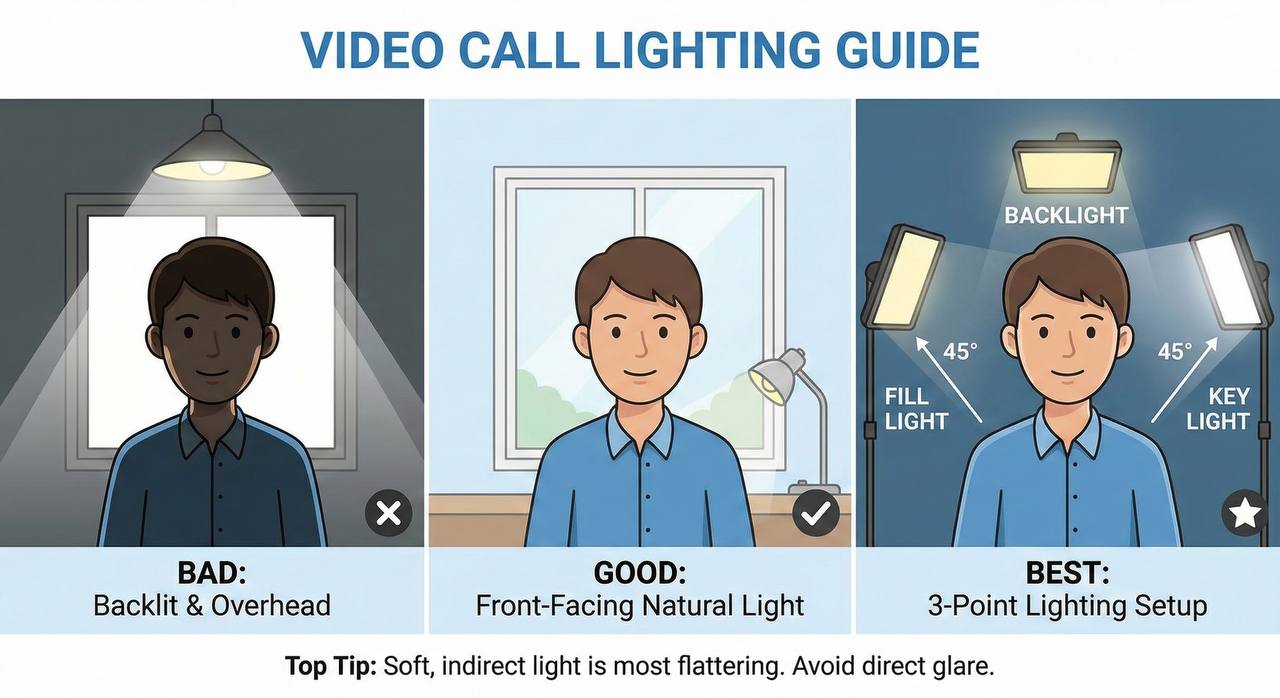
Stop putting your light directly behind your webcam. That is the worst spot for glasses wearers.
- Move the light higher: Point it down at a 45-degree angle. Reflections will bounce down towards your keyboard, not into the lens.
- Move the light wider: Place the light to your side (45 degrees left or right). Reflections will bounce off to the side.
Why You Need Diffused Panels (Not Ring Lights)
The type of light matters as much as the position. Ring lights are “point sources” of hard light. They create sharp, defined reflections.
You want a diffused panel (a large, flat light source). Because the light is spread out over a larger surface area, it wraps around your face rather than beaming a laser at your forehead. Think of it like a cloudy day vs. direct sunlight. A soft panel positioned high and to the side will light your face evenly without creating hotspots on your lenses.
Summary
If you wear glasses, the secret is simple: Use a large, soft light source and place it high and to the side. The reflection will miss the camera lens entirely, leaving you with a clear, professional image.
Related Guide
If youre upgrading your setup, check out our guide on The Strongest Monitor Arms for Ultrawides.
Leave a Reply